Tracking returns on their way back
See where every return parcel is, spot the ones that never shipped or got stuck, and work the queue of parcels that have arrived.
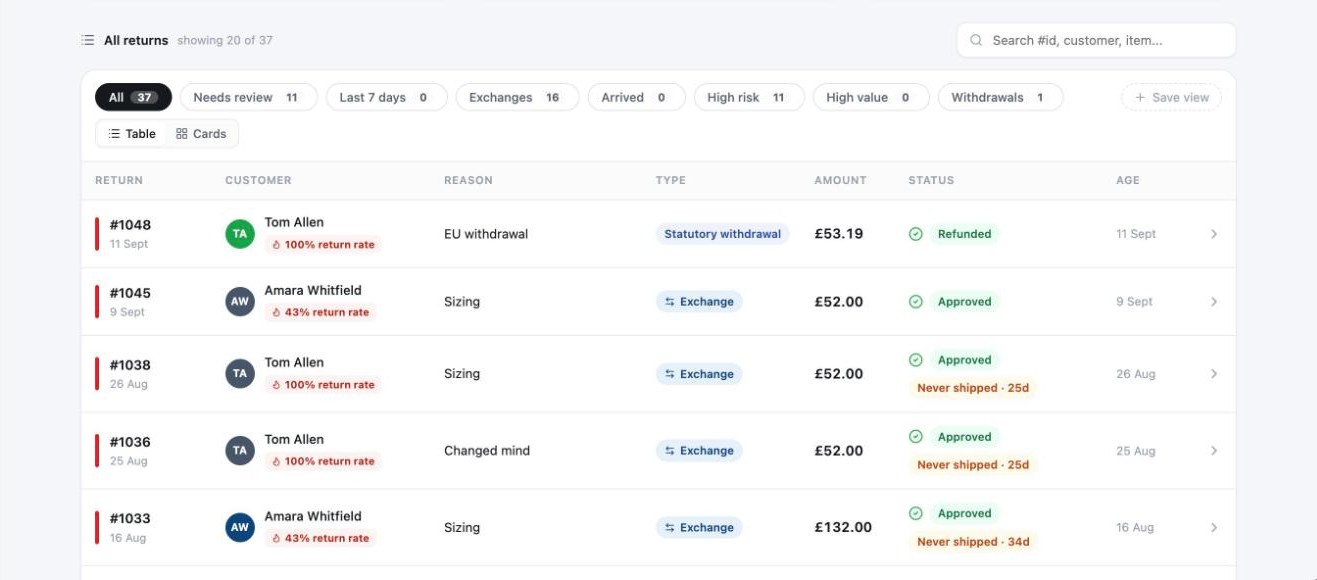
Once a label goes out, the next question is usually "has it come back yet?". Each row on the Returns page has a small tracking chip that answers it. Yoyo checks with your carriers regularly, so there's nothing to refresh.
What the chips mean
| Chip | Meaning |
|---|---|
| No label | The return is approved but no label has been made. |
| Label created | The customer has a label and the carrier hasn't scanned it yet. |
| Never shipped | It's been 7 days since the label was made and the parcel still hasn't been scanned. |
| In transit | The carrier has it. |
| Stalled | It was moving, but there's been no carrier update for 5 days. |
| Arrived | Delivered to you and waiting to be dealt with. |
| Delivery failed | The carrier couldn't deliver it, or it went back to the customer. |
| Self-post | The customer is posting it themselves, so there's no label to track. |
| No return leg | Nothing is coming back, for example a "keep the item" refund. |
Chips also count the days, so "Arrived · 2d" means it's been with you for two days.
The Arrived queue
Arrived is both a number at the top of the page and a quick view. It's your list of parcels that are back and need something from you: a check, a restock, a final decision. The ones that have waited longest are at the top. Keeping this short is the easiest way to keep refunds quick.
Parcels that never ship
A "Never shipped" return is still an open promise on your books. After a week or two it's fair to assume the customer has changed their mind. Open the return and Cancel it, which also lets you cancel the unused label.
Telling the customer
If you use Klaviyo, Yoyo sends events when a return stalls or a delivery fails, so you can set up a flow that nudges the customer. See Klaviyo.
Good to know
- Tracking works for labels made through Yoyo with PostNord, Bring, Quiqup and Sendcloud carriers.
- A customer posting it themselves can add their own tracking number in the portal. It appears on the return, but Yoyo can't follow it automatically.
- The return's timeline shows each tracking event with its date.