The Returns page
A tour of the Returns page, including the numbers at the top, the quick views, Process returns and letting Yoyo work the queue.
Returns is where you'll spend most of your time in Yoyo. Every request from the portal lands here.
If you're new, the page offers a 40-second tour the first time you open it. You can replay it from the ? next to the page title whenever you like.
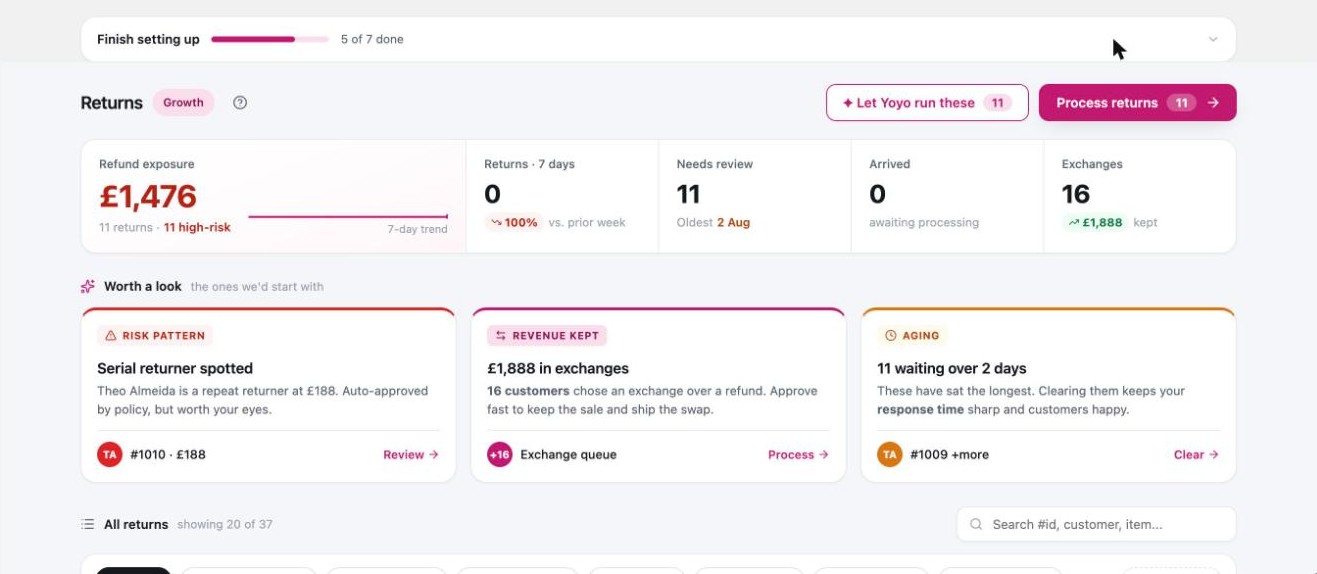
The numbers at the top
One panel sums up where things stand:
- Refund exposure. The total you still owe across open returns. This is the big number.
- Returns · 7 days. How many requests came in this week.
- Needs review. How many are waiting on a decision from you.
- Arrived. Parcels that have reached you and haven't been dealt with.
- Exchanges. Revenue you kept because shoppers swapped instead of taking a refund.
Click a number to filter the list to those returns.
The list
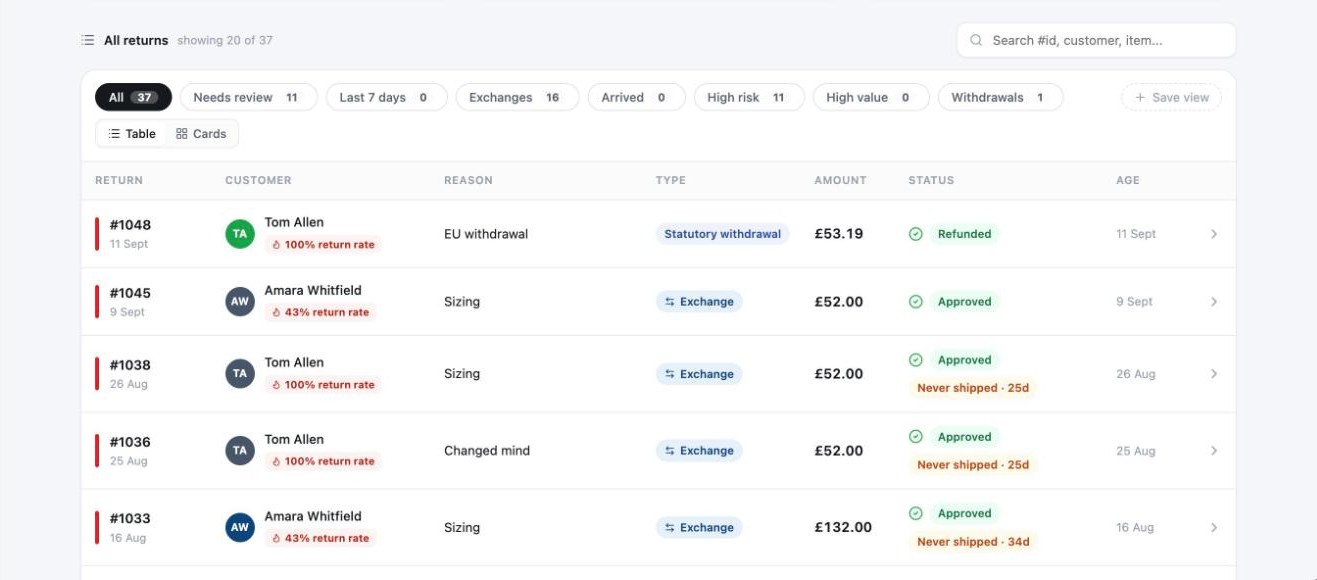
Under All returns you'll find a search box (order number, customer or item) and quick views that filter in one click: All, Needs review, Arrived, Exchanges, Last 7 days, High value, High risk, and Withdrawals if you sell to the EU.
Each row shows the order, the customer, what's coming back and why, the value, where the parcel is, and the status. The reason column shows the specific reason, such as "Too small". Hover over it to read what the shopper wrote.
Click a row to open the return. See deciding on a return.
Process returns
Process returns opens the returns that need a decision one at a time. Approve or reject, and the next one appears. If you have ten minutes and a queue, this is the quickest way through it.
Let Yoyo work the queue
Let Yoyo run these has Yoyo go through everything waiting, using your rules and your automation settings. Where you've set Auto, it acts. Where you've set Suggest, it prepares a recommendation and leaves the decision with you. You can watch it work, and it tells you when several requests in the queue come from the same customer.
It only runs when you press it. Nothing happens in the background that you haven't asked for.
Statuses
| Status | Meaning |
|---|---|
| Return requested | New. No decision yet. |
| Needs review | A rule or Yoyo wants you to look at it. |
| Approved | Accepted. |
| Label sent | The customer has their label. |
| Received | The parcel is back with you. |
| Refunded / Exchanged | Finished. |
| Denied | Rejected. The customer has been told why. |
Good to know
- An empty view says "Nothing in this view right now". That's the view, not the whole list. Click All.
- Your plan is shown as a small chip next to the page title. Click it to manage your plan.